All projectsComing soon
SwatchForge app icon

SwatchForge

A color system, built from a photo.

Read a palette from any photo, check every color for contrast, and export it as code.

Explore project
Platform
iPhone
Status
Coming soon
Year
2026
Made by
CraftdLab

Project overview

A closer look at SwatchForge.

Choosing color for an interface usually starts with a picture — a photograph, a scene, a mood. SwatchForge closes the gap between that picture and a theme a developer can actually build with.

Crop to the part of the image the color should come from, choose which of the eighteen semantic roles your project needs, and SwatchForge reads them straight off the photograph on your device. Backgrounds, surfaces, text, accents, borders, and status colors all arrive named rather than as a pile of swatches.

Every color is measured against the surface it sits on, so a palette tells you where it falls short before your users do. When it is right, it leaves as Tailwind, SwiftUI, CSS, SCSS, JSON tokens, or Android XML — or as a printable specification sheet for the rest of the team.
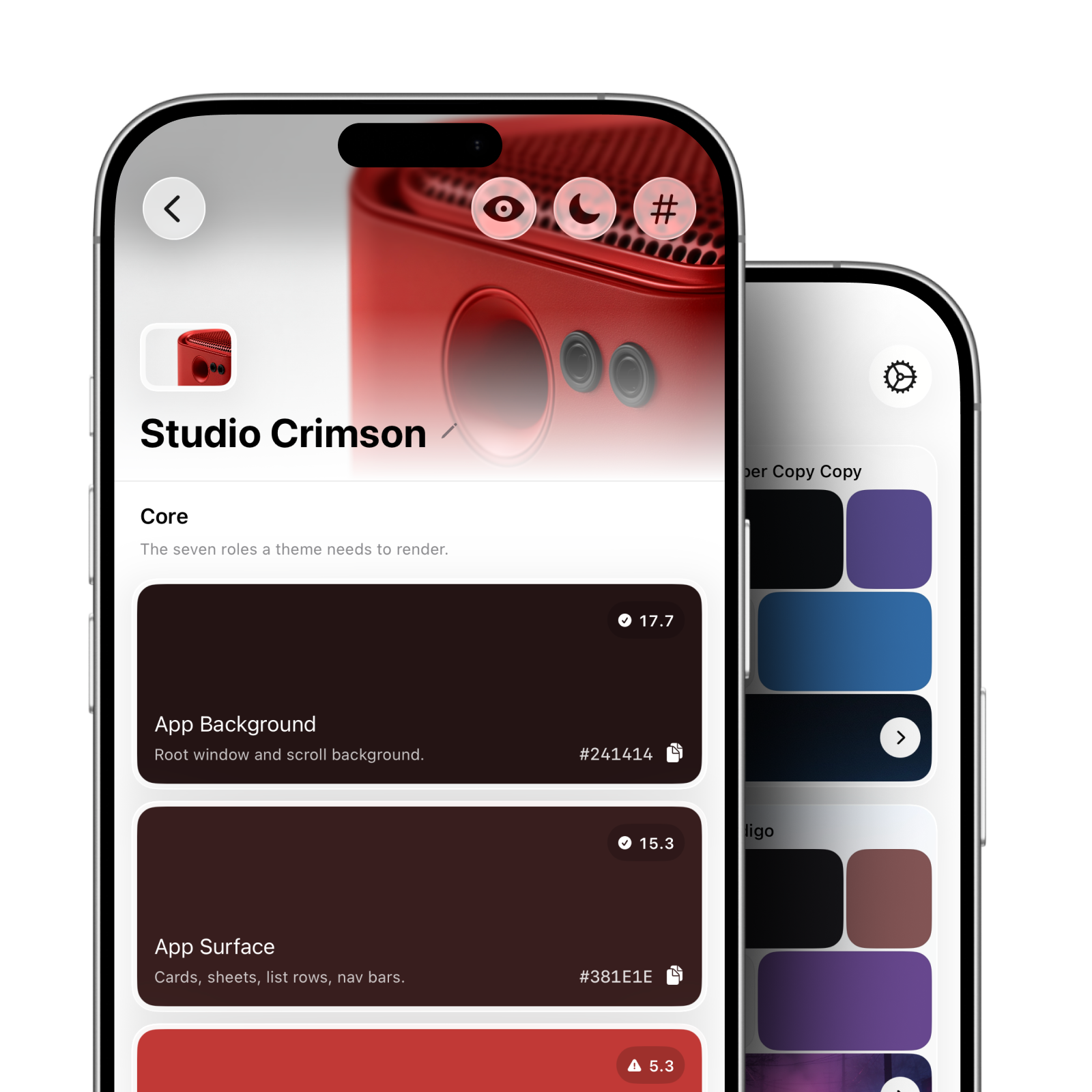
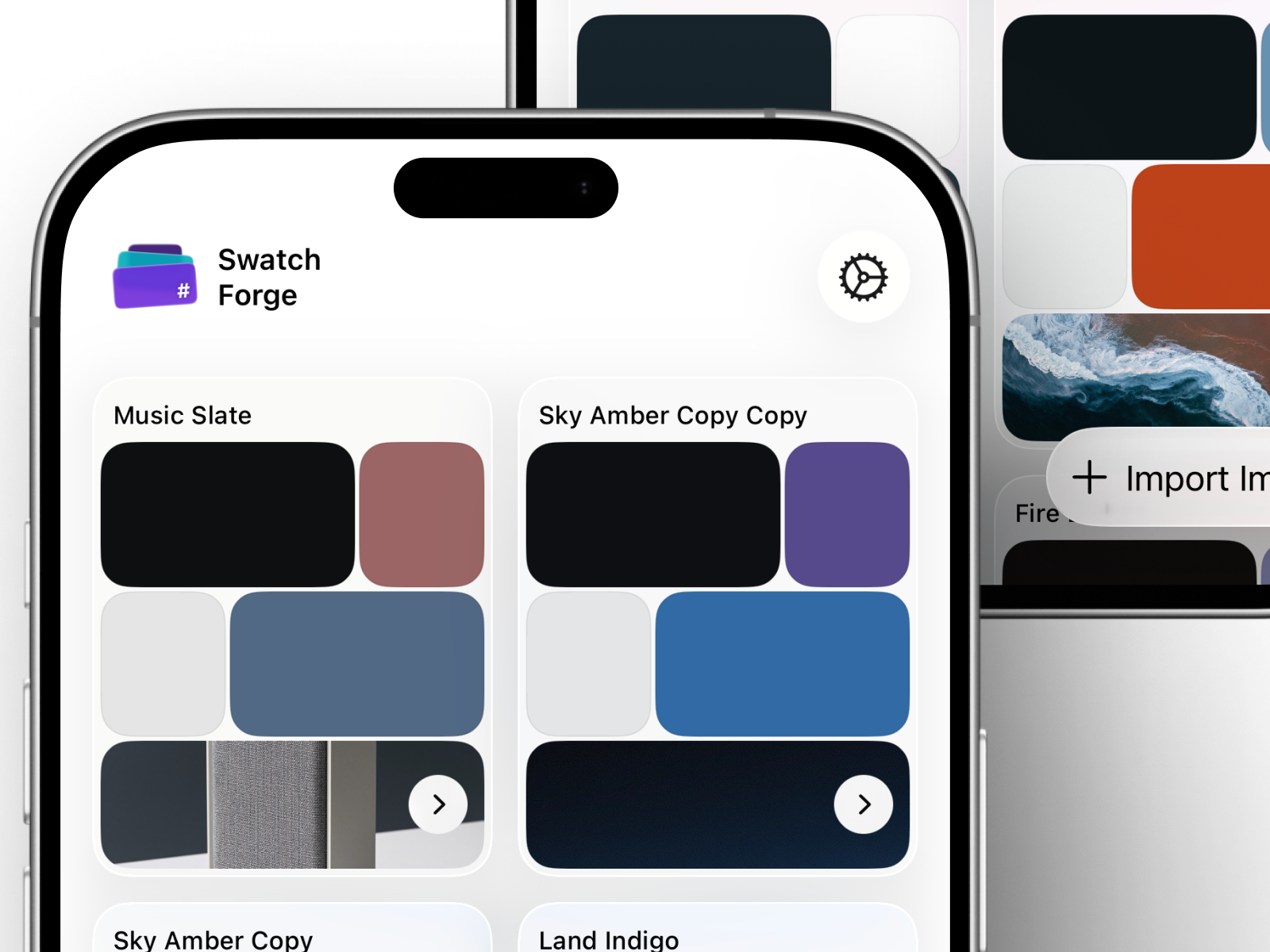
SwatchForge palette detail and library displayed on iPhones

02 · Product experience

A closer look at the SwatchForge experience.

Explore the product decisions and moments that make SwatchForge useful, focused, and distinct.

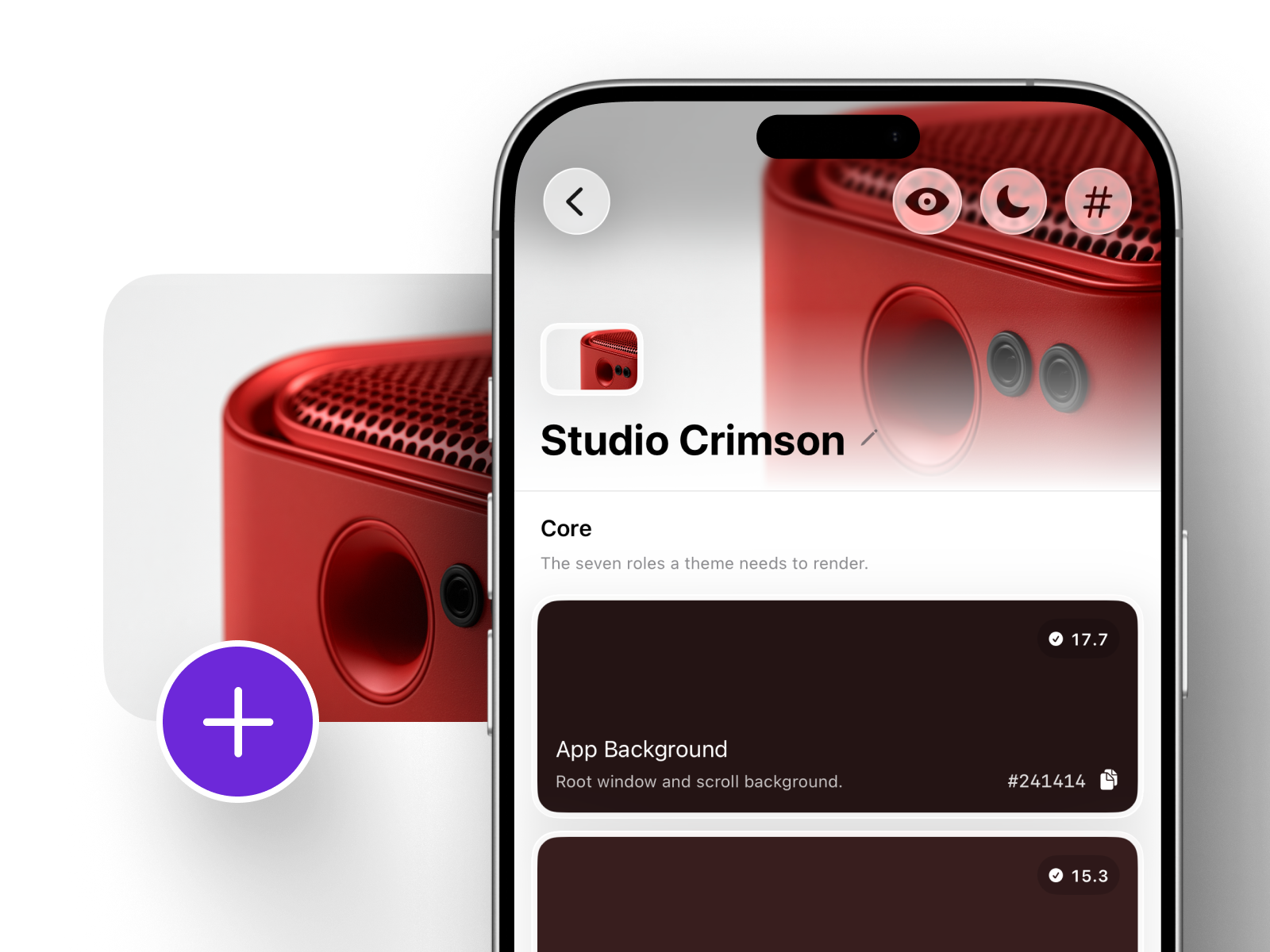
SwatchForge palette detail listing named color roles beside its source photograph

01 · Product direction

From a picture to a theme you can build with.

Color tools usually stop at a row of swatches, leaving the hard part — deciding what each color is actually for — to the person using them. SwatchForge starts from the roles an interface needs and fills them from the photograph, so the output is a theme rather than a mood board.

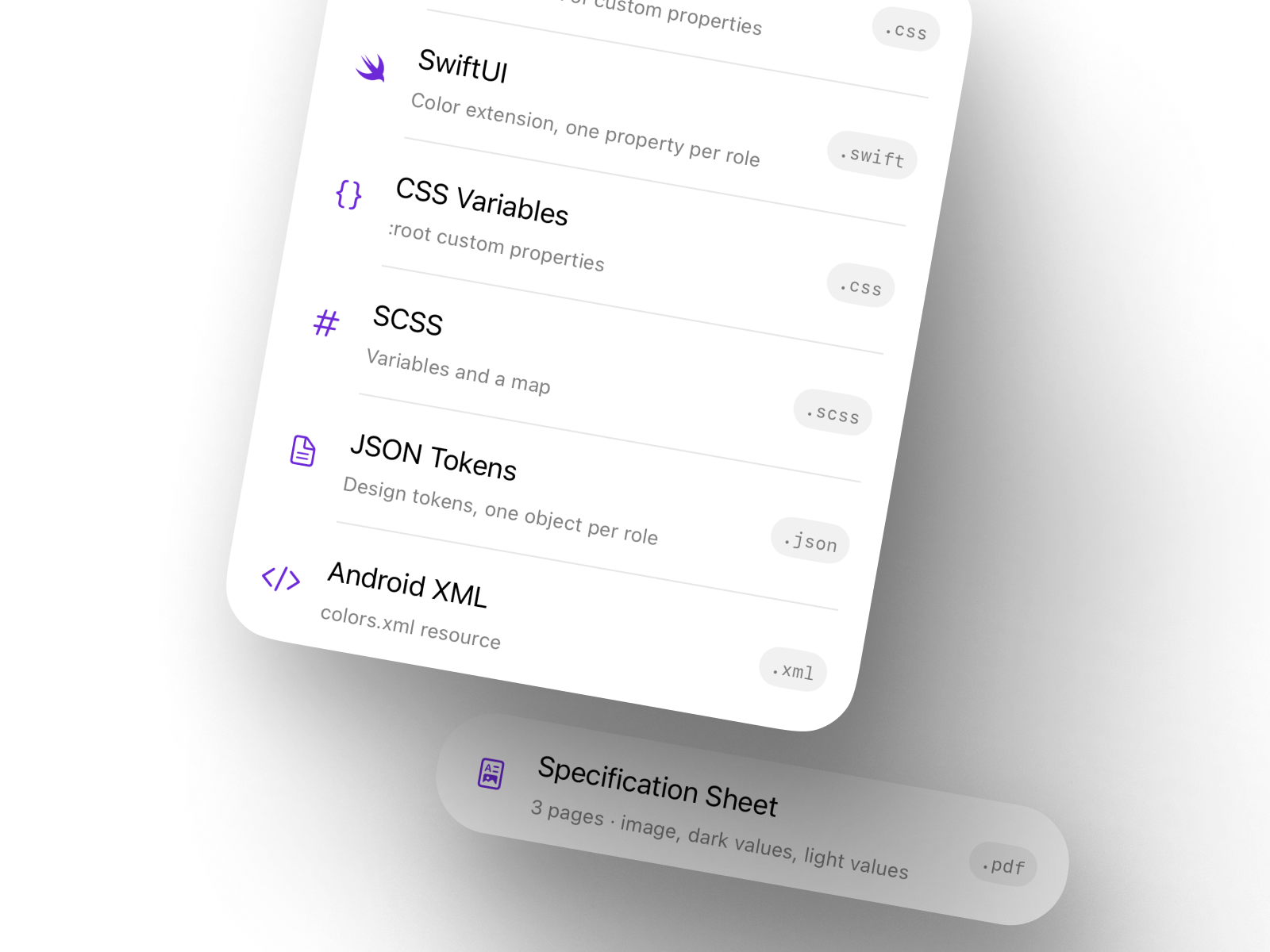
SwatchForge export options including SwiftUI, CSS, SCSS, JSON tokens, and Android XML

02 · Experience

Frame it, choose what you need, read the colors.

Cropping decides which colors extraction even sees, so it happens first, on a real scrolling canvas with the aspect ratios a designer expects. Role selection comes next: keep all eighteen, or narrow to the core set a smaller project will use.

Anything can be revisited. Tapping a palette’s source photo reopens the cropper, and a rebuilt palette can either replace the original or be saved alongside it.

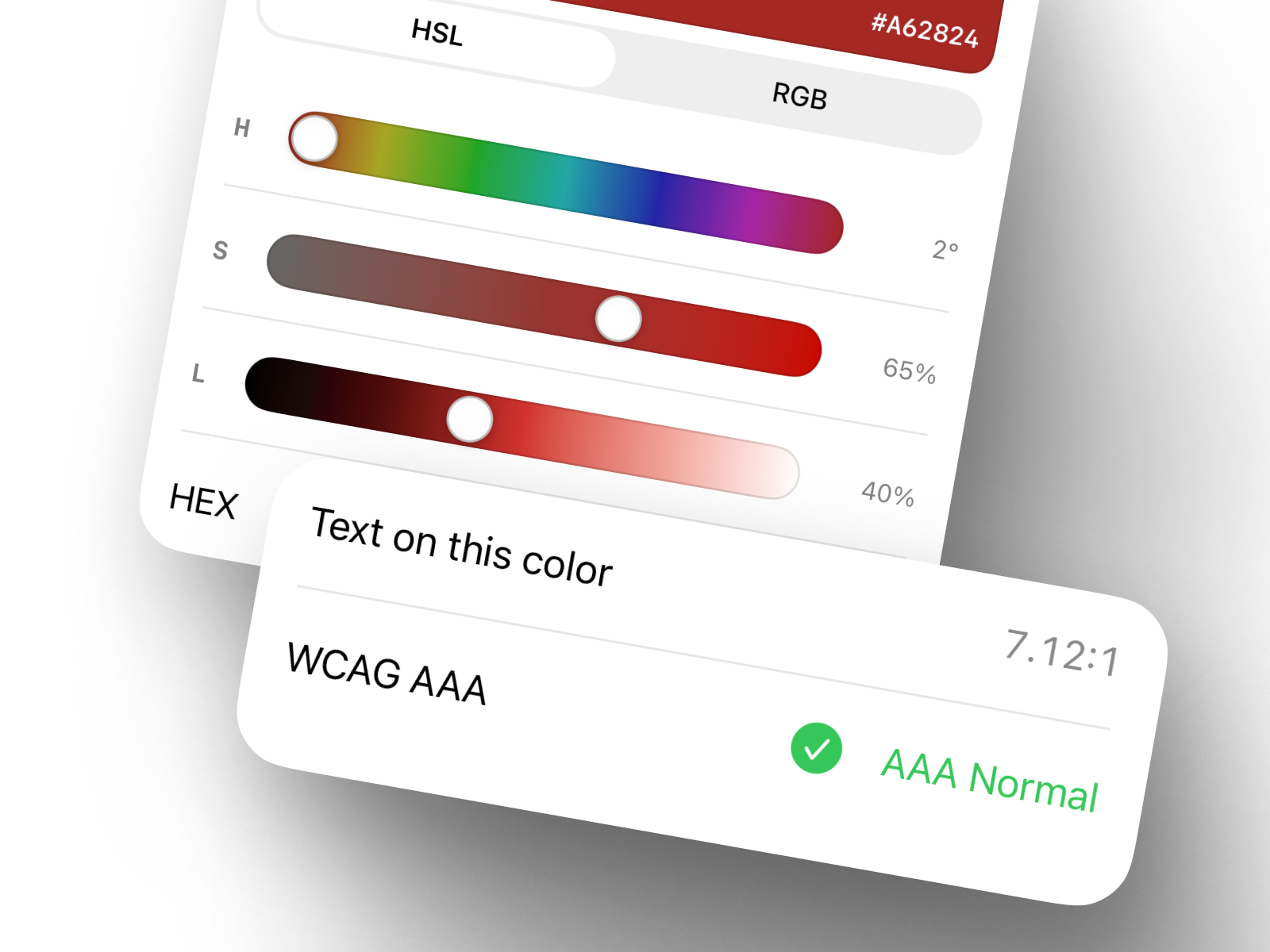
SwatchForge color editor with HSL sliders and a WCAG AAA contrast reading

03 · Measured, not guessed

Accessibility built into the output, not bolted on.

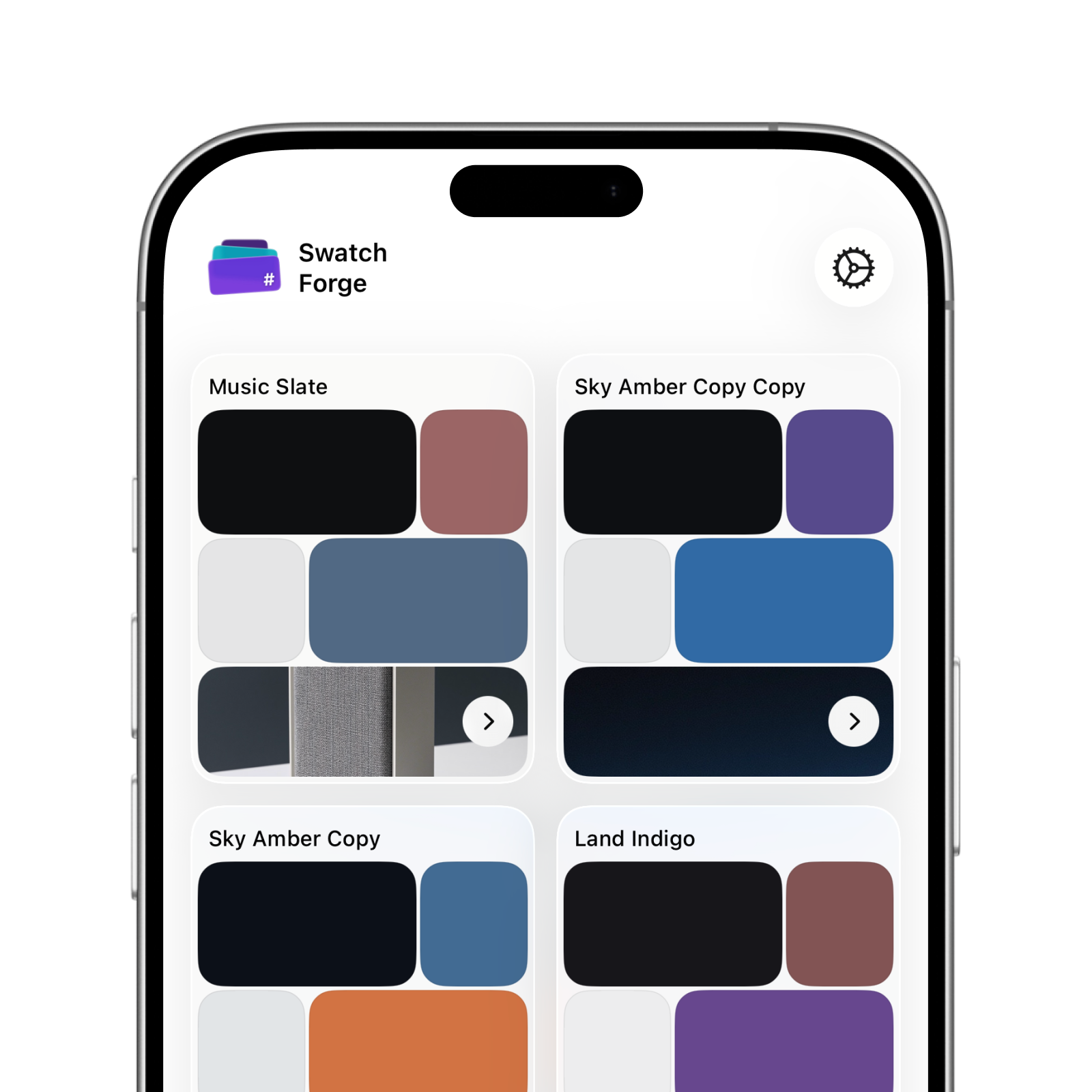
Each color is evaluated against its own surface using WCAG contrast ratios, and the result is shown on the swatch itself. A palette that will fail an audit says so while it is still being made, which is the only time that information is cheap to act on.

SwatchForge palette library showing saved palettes on an iPhone

04 · Delivery

Leaves as code, or as a document.

Palettes export as Tailwind, SwiftUI, CSS variables, SCSS, JSON design tokens, or Android XML, so the handoff is a paste rather than a translation. A multi-page specification sheet covers the same palette for anyone who needs it on paper.

The whole app runs on device. There is no account, no server, and no analytics — an import works the same in Airplane Mode as it does anywhere else.

Made for iPhone

SwatchForge is ready for what comes next.

Read a palette from any photo, check every color for contrast, and export it as code.

Download on the App Store
SwatchForge displayed on iPhone